The podcast equipment market is full of options, which can feel overwhelming when you’re starting out. Mixers, interfaces, pop filters, shock mounts — the list of gear grows fast, and so does the project cost.
Luckily, you don’t need most of what’s out there to get started. A good microphone, a pair of wired headphones, and free recording software are enough to produce professional-sounding audio. The best podcast setup for most beginners can cost under $100 and take less than an hour to configure.
This article covers a podcast’s core needs, breaking down the best podcasting equipment for a range of budgets. We’ll also cover recording and editing software and what to add when you're ready to go visual.
What equipment do you need for a podcast?
You don't need a full studio to sound professional. Whether you’re recording solo or hosting a multi-person show, what you need for a podcast comes down to a few pieces of equipment.
Equipment | What it does | Who needs it |
USB microphone | Captures audio and connects directly to the computer | Beginners and solo podcasters |
XLR microphone | Captures audio at a higher quality ceiling, but requires an interface to connect | Intermediate to pro podcasters |
Closed-back headphones | Monitors audio as it comes in without bleed | Everyone |
Audio interface | Converts an XLR signal for computer recording | Anyone using an XLR mic |
Podcast mixer | Controls multiple sources; allows some to record without a computer | Multi-host and traveling podcasters |
Boom arm or mic stand | Reduces desk noise with consistent mic position | Everyone |
Pop filter or windscreen | Quiets plosive sounds before they hit the recording | Everyone |
The right microphone is the most important early purchase in any podcast setup. USB mics plug directly into your computer, making them the simplest way to start recording.
XLR microphones, named for their three-pin connector, link to your computer through an audio interface or mixer. The interface adds a step, but also offers more use case flexibility as your podcast grows. There are two main types of XLR microphones: Dynamic mics, which handle background noise well, and condenser microphones, which capture more detail but work best in quiet spaces.
If you want to start recording quickly, USB is the easiest option. If you have the budget for it and want a setup you won’t have to replace in a few years, XLR is often the better long-term choice. Condenser mics in particular are a popular choice for dedicated home studios.
Headphones
A good pair of podcast headphones lets you monitor your audio as you record. That way, you can catch issues, such as background noise or a guest cutting out, early and adjust your setup accordingly.
If you're not sure you want to commit to podcasting, a basic pair of wired earbuds will work. But when you're ready to upgrade, closed-back headphones are the better choice. They have a sealed outer shell that helps reduce sound bleed, and their wiring means you avoid Bluetooth latency.
Audio interface or mixer
USB microphones do not need an interface. XLR microphones do, because the interface converts the analog mic signal into digital audio for your computer. Most audio interfaces include built-in preamps that boost the mic signal before it reaches your recording software.
An audio interface is usually the best fit for simple interview-style podcasts, while a mixer is useful when you need more hands-on control or a more stand-alone recording workflow. More advanced mixers also include built-in sound pads for intro music and programmable effects.
Boom arm or microphone stand
A boom arm or stand helps the microphone stay in a consistent position, stabilizing levels and reducing desk noise. A shock mount can also help isolate the mic from vibration.
Pop filter and windscreen
Certain consonants, especially p and b, push a burst of air at the microphone capsule that creates a low thump in your recording called a plosive. A pop filter, or foam windscreen, sits between your mouth and the mic and stops some of the air before it reaches the mic. Many microphones ship with a windscreen included. A pop filter is a small, separate purchase that provides slightly better protection.
Podcast equipment setups by budget and experience
The best podcast setup is the one that fits your needs. Here’s what goes into our recommended setups at each experience level.
Equipment | Beginner | Intermediate | Pro |
Microphone | USB | USB and XLR | XLR |
Headphones | Wired headphones | Closed-back monitoring headphones | Closed-back studio headphones |
Mic support | Desktop stand | Boom arm | Boom arm with a shock mount |
Plosive control | Foam windscreen | Pop filter | Pop filter |
Audio capture | Direct USB to computer | Direct USB to computer | Audio interface or Podcast mixer |
Beginner setup
This is your starting point for affordable podcast recording equipment that still sounds professional. A USB microphone plugs directly into your computer with no extra hardware, and free software like Audacity or GarageBand handles recording and basic editing. Add a pair of wired headphones for real-time monitoring, and you have everything you need to publish your first episode. Many manufacturers sell beginner podcasting kits that bundle a USB mic, headphones, and a stand together.
Intermediate setup
At this level, new gear should improve audio quality and consistency, and reduce post-production work. A USB and XLR microphone gives you the flexibility to grow into a more advanced setup without having to replace the mic later. Boom arms and pop filters improve your sound quality by locking the microphone in place and cutting plosives before they appear on the recording. Replace basic wired earbuds with closed-back monitoring headphones for more accurate audio.
Pro setup
This tier is built for podcasters who record regularly and want studio-quality audio. An XLR microphone paired with a dedicated audio interface or podcast mixer gives you precise control over your signal before it reaches your recording software. Closed-back studio headphones let you hear your audio more accurately, while a shock mount reduces desk vibration.
Consider investing in basic acoustic treatment (such as panels, heavy curtains, or even carpet in your podcast studio), too — it helps control any echoes or other noises from your environment. Good gear in a poor acoustic space can still underperform.
Recording and editing software for podcasters
Your podcast equipment captures the audio, but your recording and editing software handles everything after. Here are two kinds of software for polishing in-house and far away recordings.
Recording and editing software
Standard podcast editing software lets you import your audio files, clean and cut them up, and export the finished episode. Some software also lets you record directly into the program for an easier edit. Here are some of the most well-known podcast editing software tools:
- Audacity: A free, open-source editor available on Windows, macOS, and Linux. It covers all the basic editing tools — cutting, noise reduction, and level adjustment — and has a large support community if you run into issues.
- GarageBand: A good starting point for Apple users who want a free program with a cleaner interface than Audacity.
- Descript: A subscription-based editor that lets you edit audio by editing a transcript, which is useful for podcasters who find traditional waveform editing unintuitive.
- Adobe Audition: A professional-grade paid editor with advanced noise reduction and multi-track editing tools. It’s best suited to podcasters who need more advanced features to perfect their sound and don't mind a steeper learning curve.
Remote recording tools
Remote recording tools capture each participant's audio locally on their own device, then sync the tracks afterward. This produces a much cleaner result than recording a call. Some of the best examples of these tools include:
- Riverside: Each podcast participant can record their audio locally at high quality, then upload and sync those separate tracks to one place in Riverside. It also includes basic editing features, making it a workable all-in-one option for remote podcasters who want to minimize the number of workflow tools.
- Zoom: This familiar option works for remote recording with the right audio settings configured. It's a practical choice for conversational podcasts, but not the strongest option if audio quality is a priority.
Video podcast equipment: What to add if you’re going visual
Adding video to your podcast doesn't require a complete equipment overhaul. The step up from audio-only to video is smaller than most people expect: You're just building on top of your existing setup.
These are the four pieces of video equipment for content creation that make the difference:
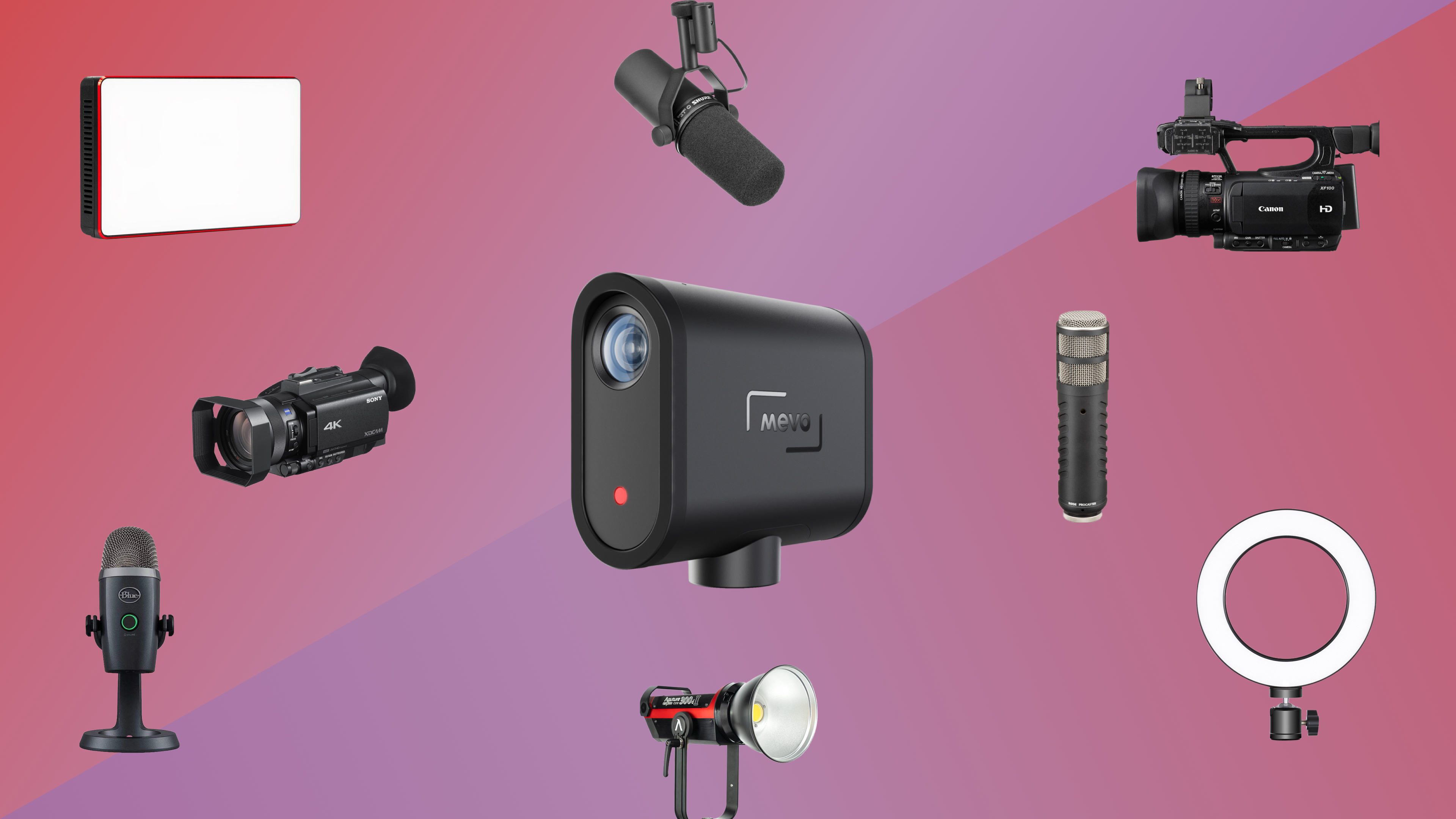
- Camera: Filming a podcast is very similar to filming an interview. A modern smartphone on a mount delivers perfectly usable video quality across most formats. For a step up, a dedicated webcam is reliable for desk-based recording. And if your budget allows, a mirrorless or DSLR camera gives you the highest image quality.
- Lighting: Even a basic ring light or LED panel removes the flat, washed-out look that built-in room lighting can create. Position your light source in front of you, roughly at eye level, for the most natural result.
- Tripod or mount: A stable camera position is non-negotiable. A tripod keeps your framing consistent across every episode and removes the distraction of a shifting or tilting shot.
- Video editing software: Post-production needs for video podcasts include cutting footage, syncing audio, and creating short clips for social media distribution, so make sure your video editor can tackle all three tasks.
Take your podcast further with Vimeo
The right podcast equipment gets you recording, but getting your content in front of an audience means publishing your podcast on the right platform. Vimeo gives video podcasters a single place to record, edit, and share their content, with tools designed to fit the process rather than complicate it. Use a built-in teleprompter for scripted episodes, screen recording for tutorial-style content, and analytics to track how your audience engages with each episode so you can keep improving with every upload.
A solid video content marketing strategy helps you get the most out of that data. For podcasters making the move into video, Vimeo removes the need to stitch together multiple tools to create a finished, shareable episode. You can manage the entire process in one place and distribute across platforms without a complicated setup. If you're ready to take your podcast beyond audio, Vimeo is a natural next step.