You know how complex the post-production process can be. Files, edits, notes, and emails make it hard to keep track of the changes to each version of your video. It’s something we hear from creators in our community all the time, and it’s something we even run into ourselves.
That’s why we’ve updated file replacement to include a version history for each of your videos. Now, Vimeo paid subscribers can upload and review multiple versions of their videos.

History’s no mystery
Now when you’re replacing a video with a new version, Vimeo automatically saves previous versions to your video’s version history. The version history includes the most relevant information about each file — like the upload time, file size, and, as you’ll see below, all the review page notes for each version. If you’ve never replaced a video, here’s how to do it:
- Head to your videos
- Click the settings icon for the video you want to replace
- Go to the “Video file” tab in your video settings
- Click “Replace this video” to add a new version
Just like before, replacing the file doesn’t change the URL of the video, the video’s review page, or any stats associated with the video.
Compare versions with review pages
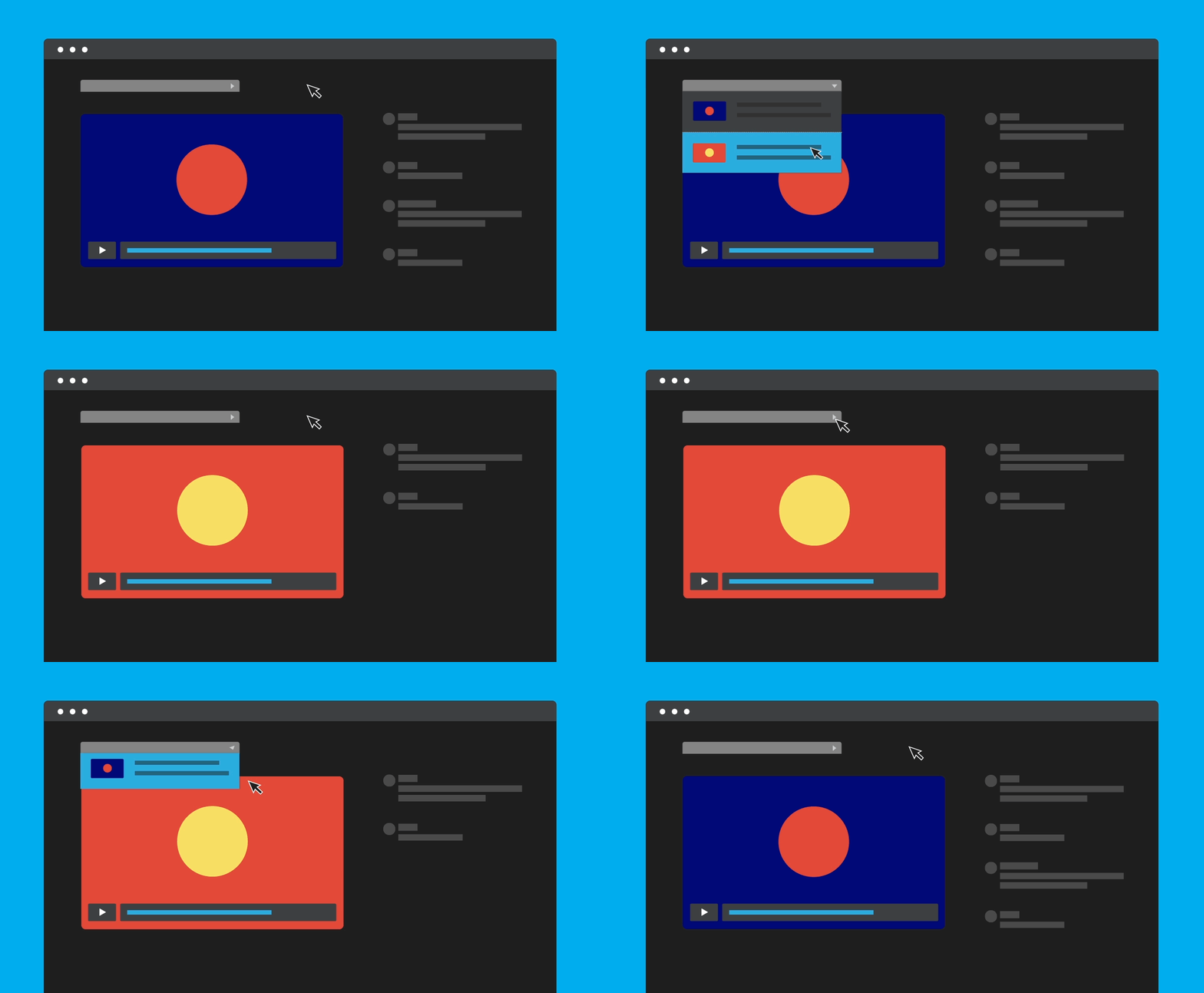
Your version history offers more than just organization and the peace of mind that comes with having access to older versions of your work. It’s an integral part of post-production and, specifically, the process of collecting feedback from clients and reviewers.On any video’s review page, you’ll now see a version menu. From there, you can review every previous iteration of your video, including all of the time-coded notes for each version.

This is a great way to privately track changes to your video — as well as the decisions behind each piece of feedback — while showing any external reviewers only the most current version of the video. These new features make it easier to keep more of your work under one roof, streamlining the detailed, complicated post-production process. Head to your videos, go to a video’s settings, click “Replace this video” to add a new version, and tell us what you think. And of course, let us know how this helps, and what you’d like to see from us in the future.
In addition to version history, Vimeo offers creators and marketers alike features like online hosting, the text editor, timeline editing, video graphics features, and the convert image-to-video tool.