Watch the films and series you purchase, right on your phone

Vimeo Staff
Now all your Vimeo On Demand purchases are but a tap away on Android, iPhone, and tablets.

You love watching amazing films and series via Vimeo On Demand. Right? Naturally. And thanks to our latest app update for iOS and Android, there’s one more reason to be infatuated: your purchases are easy to find, watch, and adore right on your phone or tablet.
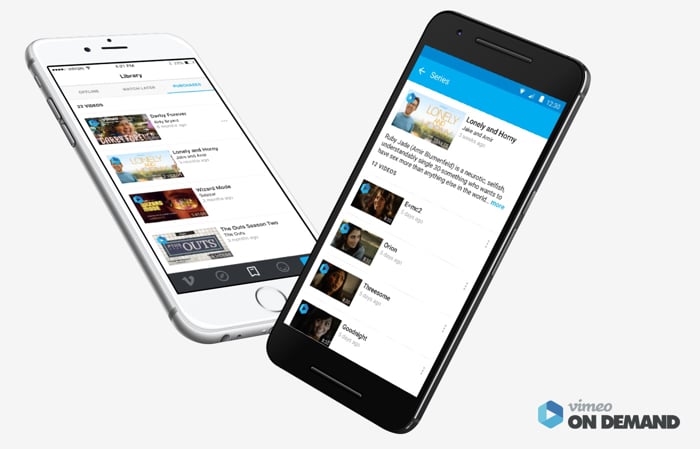
Allow us to woo you:

  • Rent, buy, or subscribe to films or series on desktop, mobile web, and through the Vimeo channel on your Roku.
  • Open the Vimeo app on your phone or tablet, and tap Library on the home screen.
  • From your Library, tap Purchases and … money. As in, those things you paid money for are all right there, ready to be watched.
  • Tap a video to make it available offline, and watch it wherever you go (even without WiFi, even on airplanes!).

Haven’t purchased anything yet? Within the app, you can search for cool titles, watch trailers, and bookmark things you want, then head to your mobile browser to buy.

Don’t have the app yet? Then why are you reading this post? Head to the App Store or Google Play Store to get it, and prepare to fall head over heels for all the amazing videos we can pack into that pocket-sized device.

If you're a creator, learn more about our tools that can help improve your video content before your video reaches the Vimeo player. Try out features like the trimming tool, video merger, compression utility, and GIF maker today!

Filed under:

Photo of Vimeo Staff

Vimeo Staff

More from the Vimeo blog

Live streaming health chart visualizer from Vimeo

Live streaming solutions: How to plan, broadcast, and scale your video stream strategy

Inspiration lives here

From generating new visual languages to opening up opportunities for solo creators, creatives of every stripe are using AI to push the bounds of art.

We asked our creative community how they're using AI. Here's what we learned.

Not sure how to use Adobe Premiere? New to video editing? Learn Adobe Premiere Pro with this guide chock full of tutorials, how-to lists, and hacks from the pros at Vimeo.

Getting started with Adobe Premiere Pro | Adobe Premiere tutorials

Teaser videos show your audience the essence of your brand to help sell your products and services. Check out these brilliant teaser video examples and learn to make your own.

How to make a teaser video that leaves an impression

Whether you’re a Facebook expert or a social media newb, this handy guide makes it easy to make a Facebook video ad you'll be proud to share.

How to make a video ad for Facebook

You've red about it before, but I see more color editing in your fuschia. Brush up on your color editing knowledge with our comprehensive glossary.

15 essential color editing terms, defined

Yngvild Sve Flikke’s short film "Apple" is a bittersweet ode to metafiction.

Staff Pick Premiere: A layered tale of love, loss, and fruit