Producing videos at scale demands time and resources many marketing teams don’t have. And when you’re also dealing with localization and multi-channel distribution, that problem compounds. Dubbed audio, adapted captions, and platform-specific formatting each require a separate production step, and the work adds up fast.
AI video marketing can fill in the gaps, helping you streamline creation, editing, translation, and distribution without relying on a large team. You can record videos in one language and publish them across dozens of markets, all through the same platform.
This article breaks down the top AI video marketing tools. We’ll explain what to look for when evaluating each one, and talk about how successful teams use AI-powered workflows to produce and distribute quality videos.
What to look for in an AI video marketing tool
The right video platform should give you everything you need in one place, so you don’t have to spend time switching between tools. Here's what to look for:
- Coverage across the full production workflow: The best solutions will have features for creating, hosting, distributing, and tracking videos.
- AI-powered editing and repurposing: Look for an AI video editor that lets you quickly cut and restructure footage by editing text, and easily extract short clips from long recordings.
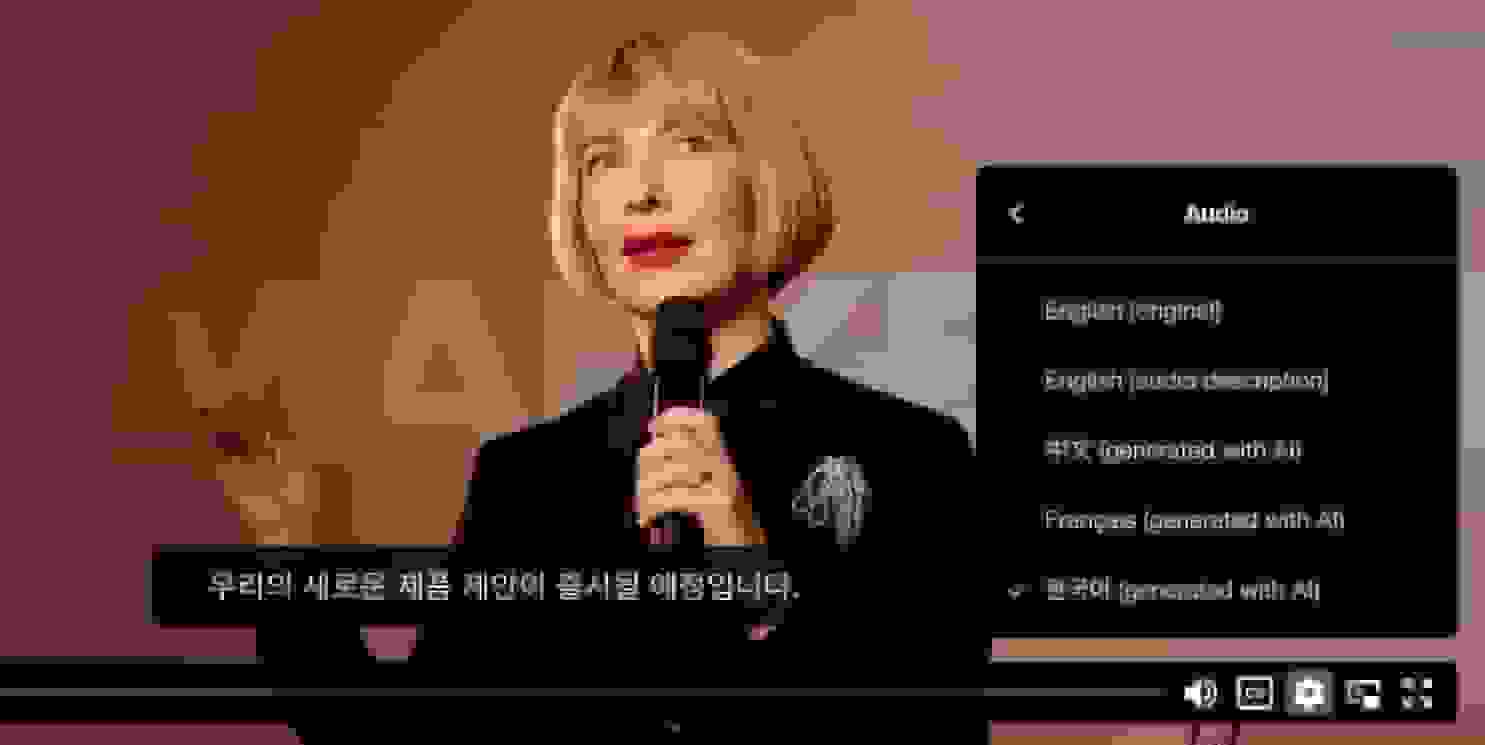
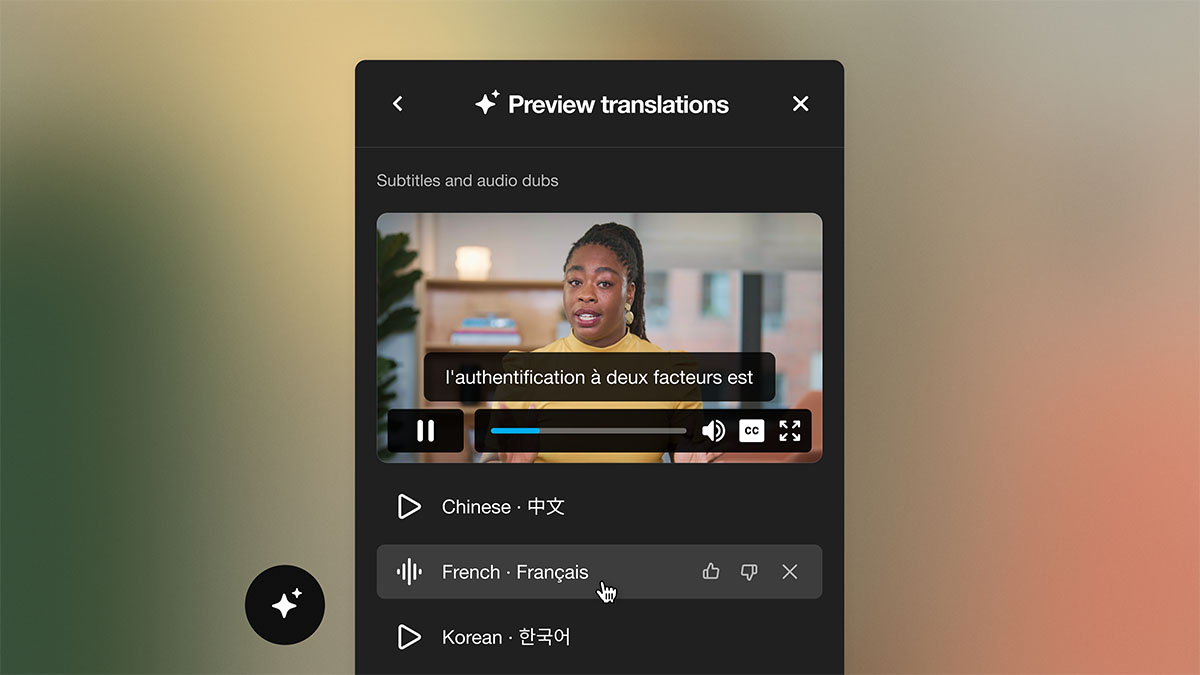
- Multilingual support: When you can automatically translate subtitles and dub audio, you can share the same video in multiple regions without additional production costs.
- Accessibility compliance: Auto-generated captions and support for Web Content Accessibility Guidelines help you reduce compliance risk and make content more approachable for everyone.
- Viewer behavior analytics: View counts only reflect reach, not impact; so look for tools that show where viewers stop watching and whether your calls to action drive clicks.
7 top AI video marketing tools
Now that you know what to look for, let’s explore seven platforms that can help you produce quality marketing content at high volumes.
1. Vimeo
Vimeo brings your entire video production workflow into a single platform, so you can edit, host, distribute, and analyze content efficiently. Plus, robust AI features are built into every stage of that process.
Key features:
- Transcript-based editing
- Subtitle translation and audio dubbing
- Embeddable, branded Video Player that includes AI interactivity
- Automatic generation for titles, tags, descriptions, and chapters
- Highlight reels and AI summaries pulled from existing videos
Limitations:
- Not a video generator, requires footage or recordings as a starting point
Best for: Teams that produce professional videos across multiple markets and want to streamline workflows without sacrificing impact
Save resources and work faster with Vimeo AI →
2. Descript
Descript focuses on text-based editing and uses an AI co-editor called Underlord. Your team can work with transcripts manually or instruct Underlord to handle routine tasks autonomously.
Key features:
- Eye contact correction
- Video regeneration
- Generated cinematic B-roll
- Social video creation based on text prompts
- AI avatars
Limitations:
- May experience lag on more complex, multi-track projects
- Steeper learning curve than some competitors
Best for: Teams that work on webinars and interviews and want to avoid timeline-based editing
3. Pictory
Pictory converts a wide range of inputs into videos. You can paste in a script, URL, blog post, audio file, or PowerPoint, and Pictory will automatically build a scene-based video with AI narration and branded visuals.
Key features:
- AI voices available in multiple languages
- GPT-powered script generator that turns prompts into structured video scripts
- Workflow automation via Make and Zapier
Limitations:
- No timeline-based editor
- AI avatars not available
Best for: Content teams that need to turn existing written and visual assets into social-ready videos
4. VEED
VEED is a browser-based video editing solution for marketing teams that need to produce and distribute at scale. This platform offers tools for editing, translation, dubbing, avatar creation, and generative videos.
Key features:
- Automated cuts
- Voice dubbing
- Custom AI avatars and digital clones
- AI Playground with access to various models
Limitations:
- Not suited for complex, multi-layer productions
- Doesn’t include end-to-end social scheduling
Best for: Marketing teams that publish videos across multiple social channels and need a shared editing workflow
5. Invideo
Invideo is one of the best AI video generation tools in 2026. You describe your target audience and the content you want, and Invideo’s AI will create a script, pull in stock footage, add AI voiceovers, and assemble a draft video.
Key features:
- Built-in script refinement tools
- Brand kit support
- Collaboration features
Limitations:
- Interface can take time to learn
- Lacks support for creating high-quality, professional video content
Best for: Teams that prefer avatar-led videos with stock footage over live recordings
6. Synthesia
Synthesia creates videos using AI avatars and voiceovers. This platform is primarily used for corporate training, internal communications, and marketing content that relies on consistent, on-brand presentation.
Key features:
- AI avatars with one-click translation
- SCORM exports for integration with learning management systems
- Version control tools
Limitations:
- Avatars can appear unnatural on large displays
- Limited flexibility for creative projects beyond highly scripted formats
Best for: Teams looking for the best AI video generators to produce at scale with minimal resources
7. OpusClip
OpusClip extracts short clips from long-form videos and publishes them across platforms. This platform supports content from a variety of social media and live streaming sites, and it also handles captioning and scheduling.
Key features:
- Automated content clipping
- Video resizing for specific platforms
- Object tracking
- Team workspaces
Limitations:
- Built-in editor is limited
- Doesn’t support creating new videos from scratch
Best for: Teams with existing video libraries that need a steady supply of short social media clips
How to reach a global audience with your marketing videos
Rebuilding videos for each market is costly and time-consuming, limiting your potential audience. But with AI translation, you don’t need to re-record or hire separate localization teams. Instead, you can translate and dub a single source file into multiple languages, then review and publish the result.
Vimeo's AI tools can translate subtitles and dub audio into dozens of languages. That’s why Axalta, a coatings manufacturer operating across 140 countries, relies on Vimeo to train its global workforce.
As Roberto Ayllón, Refinish Distance Learning Manager at Axalta, put it:
“Vimeo's AI capabilities, particularly around translation and accessibility, will be instrumental in our global expansion efforts. We'll be able to reach new markets and customers without sacrificing the quality or effectiveness of our training content.”
Closed captions extend this reach even further, making videos accessible for hearing-impaired viewers and anyone watching without sound.
See how the right AI video tools make all the difference
When deciding how to make videos using AI, you’ll find that many platforms handle one production phase well, whether they’re focused on editing, clipping, dubbing, or distribution. But if you’re working at scale, you need a solution that keeps the entire workflow in one place. That way, you can produce quickly and keep all your content consistent.
Vimeo helps marketing teams scale video creation and distribution effectively. You can record footage, edit the results, share securely across many platforms, and track key engagement metrics — all in one place.
Try Vimeo’s AI video marketing tools →
FAQ
How can I make AI videos for free?
Several AI video creation tools offer free plans that are suitable for creating small amounts of basic content. These free tiers typically include watermarked exports and strict usage caps, so they're best for evaluating a tool rather than producing videos at scale.
How much do AI marketing videos cost to produce?
Most entry-level plans for AI video marketing tools range from $15 to $35 per user per month. Enterprise pricing varies significantly based on team size, usage volume, and feature requirements.
Can AI replace a video production team?
AI tools can help you create marketing videos fast by handling many scripting, editing, captioning, translation, and distribution tasks autonomously. However, it’s still important to review and edit the results manually, especially if you need high-quality content for professional audiences.