Small businesses are powerful. That’s been proven throughout 2020, as creators and brands across the globe have managed to stay operational by leveraging their strengths and listening to their audience. We’ve witnessed you take your in-person fitness studio virtual, turn a local dance troupe into an international community, pivot your business model to deliver food directly to consumers who need it most, and offer live tutorials to those in desperate need of a trim. And through it all, you’ve used video to stay in contact with your audience and build stronger relationships, even while far away.
Small businesses everywhere are regularly being asked to reconsider their operations in light of new public needs. We know there’s no one-size-fits-all approach. But whether you’re a small-town diner with a 60-year history or a yoga studio with a cult following, video is a vital part of staying operational right now.
We want to make sure entrepreneurs and creators have the tools they need to succeed during a time of unprecedented challenges, including the resources to make new content and connect more deeply with their audience.
Promoting virtual classes? Getting the word out about new store hours? Just want to connect more deeply with your people? Wherever you are in the process, here are five tips to help manage the transition — and some super customizable video templates to make it easy to get the word out.
1. Be willing to pivot

While it’s always important to be adaptive, it’s more crucial than ever to think deeply about your audience’s needs, and make sure you’re offering services and products that are most useful to them.
Just ask Korma Aguh-Stuckmayer, the founder of Minnesota-based dance studio Afrocontigbo, who took her classes virtual by committing to learn on the way. “Every week, I learn something new about technology to make the experience better,” says Korma. “My advice is to take things one at a time.” A simple set-up — even if it’s just your phone and a tripod — is all you need to get moving.
2. Engage your audience

This is a perfect time to let your audience lead and let your business tactics follow. Use this opportunity to poll your customers and find out what questions you might be able to answer right now.
“When it feels like a conversation, my customers have a connection to me,” reminds Zandra Beauty CEO Zandra Cunningham. Utilize your Instagram presence to run polls on your story or craft a video asking for customer feedback. Make it clear how your audience can reach you, and ensure that communication is a two-way street.
3. Give status updates
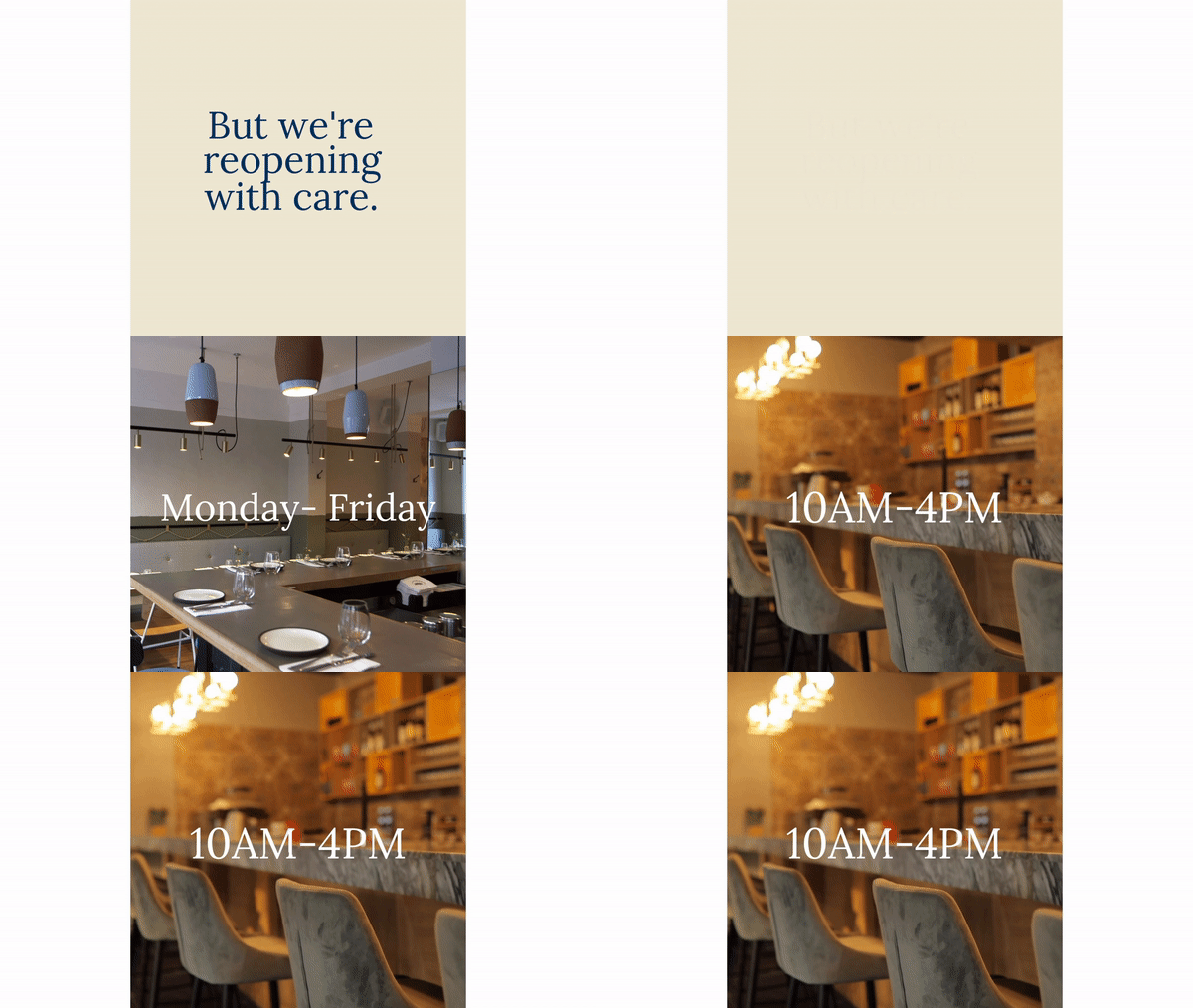
Whether you’re open for business or having to stay virtual, it’s crucial to let your audience know where you stand. Consider making a video to share what steps you’re taking to keep your customers safe, or create content to let them know how to support you in the interim.
4. Learn video marketing basics

When it comes to video marketing, even the smallest strategic steps can make a difference. Know your peak posting times — Thursday and Friday afternoons are best for Facebook sharing, while hitting Twitter on Monday mornings should give your content the best chance at grabbing maximum eyeballs.
A good rule of thumb for posting cadence is once a day on Facebook and Instagram, but make sure that everything you post meets a need for your people. Real estate agent Chip James says the key to keeping your customer involved online is to focus on solving their problems: “Marketing 101 is making their life a little bit easier,” Chip notes.
5. Just get started

Amongst all the advice we’ve gotten from small businesses that have successfully adapted during this time, there’s one common denominator: it all starts with making stuff..
“A lot of people are going to suffer from paralysis analysis — they’re going to overthink it,” says Clayshare co-founder Kevin Phillips. “Don’t worry about trying to make it perfect. Just get on there and do something to provide benefit to your audience. They’re going to appreciate the fact that you did this for them to help them through this situation.”
And when all else fails? Dial in on what you can control, and let the rest go. “It’s really easy to get overwhelmed right now and to think about the what-ifs,” acknowledges Supermaker co-founder Jaime Schmidt. “But when we focus on what’s right in front of us, I think that’s where real growth and stability and peace of mind is going to come from.”
It doesn’t matter if you’re spinning up a whole virtual event, launching a new product, or just want to hop on a IG Live for a quick work break, video can help you keep things in motion while you figure out the rest.