Video editing is all about shaping raw footage into a clear, compelling story. A great editor uses moment-to-moment composition to build a flow that brings the whole video together, whether it’s a simple interview or a blockbuster film. That process relies on careful cuts, and knowing the difference between a J-cut versus an L-cut in video editing means you can create smooth, effective transitions.
In this article, you’ll learn what these two techniques are, when to use each, and how to ensure a great cut every time.
What are L-cuts and J-cuts?
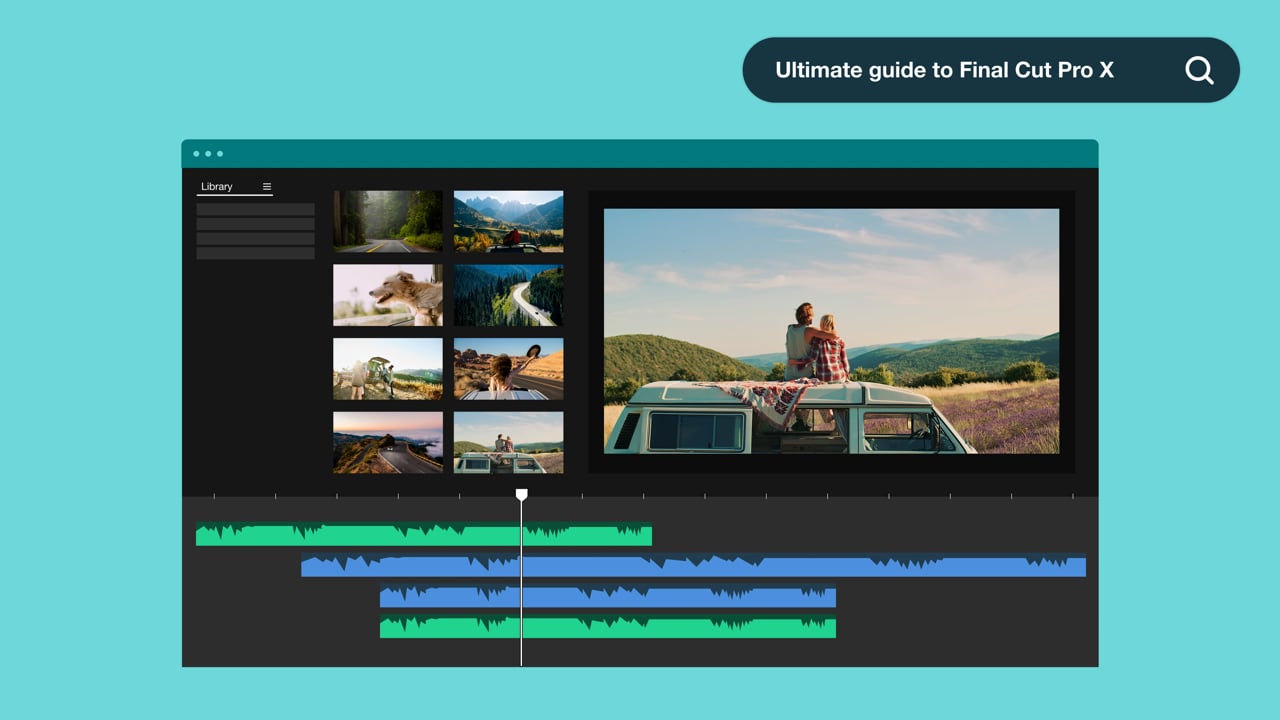
J-cuts and L-cuts are transitions between two visual clips with overlapping audio. A J-cut is defined as a transition where the second clip's audio plays over the first’s. And in an L-cut, the first clip’s audio overlaps the second’s. In your editing timeline, you’ll see an audio track that extends to the left or right, looking a bit like a “J” or an “L.”
The difference between a J-cut and an L-cut may seem small, but it changes their applications. A J-cut typically uses audio to build anticipation for an incoming visual. In contrast, an L-cut holds the viewer in an emotional beat, using audio to extend a moment even as new visuals come into view.
When to use J-cuts vs. L-cuts in video editing
Many videos call for a mix of J-cuts and L-cuts, and the challenge is knowing when each transition fits best. While it’s important to experiment, here are four common places where one technique is more useful than the other:
- Dialogue: L-cuts are great for dialogue-heavy scenes and interviews, so you can show a person’s reaction before they respond.
- Scene changes: J-cuts build anticipation for the incoming scene, guiding the audience into the next storytelling moment. So they’re commonly used to stitch together a film's major story beats.
- Montages: An L-cut can introduce a voiceover or song and carry it through an entire montage. You’ll see this technique used often in ads and corporate videos.
- Opening scenes: A J-cut introduces the audio before the first visual, settling the audience and immediately building an immersive atmosphere. It’s common to open films and vlog videos with J-cuts.
- Closing scenes: An L-cut keeps a final scene’s audio with the audience a little longer to extend the last emotional beat.
Create great videos with Vimeo →
Examples of great J-cuts and L-cuts
Once you know how to distinguish between J-cuts versus L-cuts, you’ll start noticing them in every video you watch. Here are four examples that show what you can accomplish.
J-cut opening
This video starts with the words: “Siri just said it!” Before the first attribution appears on-screen, the speaker’s voice comes through clearly to grab the audience’s attention. Instead of a quiet or gradual J-cut, this transition is loud and sudden, producing a bold opening effect.
The trick to pulling off a J-cut like this is to pick an attention-grabbing soundbite. Then, you’ll want to follow through with an energetic opening that maintains the audience’s attention. Adding a bit of upbeat music keeps the energy up, helping you craft a compelling scene that hooks viewers.
L-cut to B-roll
When the same video we looked at above moves on to employee interviews, you’ll notice several L-cuts used in quick succession. An employee says something interesting, and their voice carries over to a shot of them working. This happens many times, establishing a familiar pattern for the viewer, and the B-roll is filled with movement and people to build on the excitement in their voices.
J-cut scene transition
Next, the video transitions into a more focused interview with the company’s founders. Early in this segment, there’s a moment where a voice enters before the person speaking appears on-screen. The founders are eating a slice of pizza and enjoying the great outdoors, when an emotional line plays over the music. This sudden change in tone pivots viewers’ expectations and prepares them for a more serious moment.
L-cut montage
This hard-hitting montage is introduced by a boy sitting down and talking into his voice recorder. The video is one long L-cut, in which the initial voiceover overlaps everything that follows. The editor has included other sounds throughout, all carefully timed and interspersed between the boy’s words.
You may also notice one other moment at the end of the video where a tiny L-cut is used. A heart monitor beeps a fraction of a second after the last visual, resolving the narrative’s suspense and delivering an emotional gut-punch to the viewer.
How to use L-cuts vs. J-cuts effectively
Here’s how to create J-cuts and L-cuts in your video editor.
Making a J-cut
Follow these steps in to build a J-cut:
- Unlink the audio from the video, so you can work with them separately.
- Line up your video and audio clips in the editor’s timeline.
- Drag the second clip’s audio to the left, so it starts underneath the first clip.
- Optionally, move the first clip’s audio forward, unless you want the two audio files to overlap slightly.
- Preview the result, and keep adjusting the timeline until the transition feels natural.
Making an L-cut
An L-cut works much the same way, but in reverse. Follow these steps:
- Separate the file’s audio from its video content.
- Line up your video and audio clips in the timeline.
- Drag the first clip’s audio to the right, so it extends underneath the second clip.
- Optionally, move the second clip’s audio back, or allow the two to overlap.
- Test the transition and tweak the clips’ overlap to achieve the desired effect.
How Vimeo helps you produce videos quickly and professionally
Transitions are the glue that holds a video together, turning it from a collection of clips into an engaging story. The trick to effective J-cuts and L-cuts is careful timing, so take plenty of time to experiment with placement until each audio track and video clip overlaps perfectly.
Once you’ve done that, you’ll need a production platform where you can finalize, host, and distribute your video. With Vimeo, you get all the tools you need to organize and share your content — from text-based editing to one-click publishing. AI-powered subtitles and translations let you cultivate a global audience, and intuitive timestamps help you keep video captions perfectly aligned, even for overlapping J-cuts and L-cuts.
Manage video production with Vimeo →
FAQ
Why are video transitions called J-cuts and L-cuts?
In J-cuts and L-cuts, one clip’s audio overlaps the second clip’s video or vice versa. A J-cut places the audio overlap to the left, which can look like a “J” in your video editor. Similarly, an L-cut resembles an “L,” since the overlap extends out to the right.
Can you use a J-cut and an L-cut in the same scene?
Yes, and it’s a good idea to use a mix of J-cuts and L-cuts within a video. For example, if you’re editing a dialogue-heavy scene, you’ll probably use L-cuts to organize reactions and responses. But you might throw in a J-cut to introduce a third speaker or draw attention to a tense moment through contrast.
Do J-cuts and L-cuts affect subtitle timing?
If audio and visuals become desynced while you’re adjusting them in a video timeline, captions and subtitles might not line up correctly. To avoid that, always move video and audio together, or use an AI subtitle generator to create accurate captions after you’re done editing.