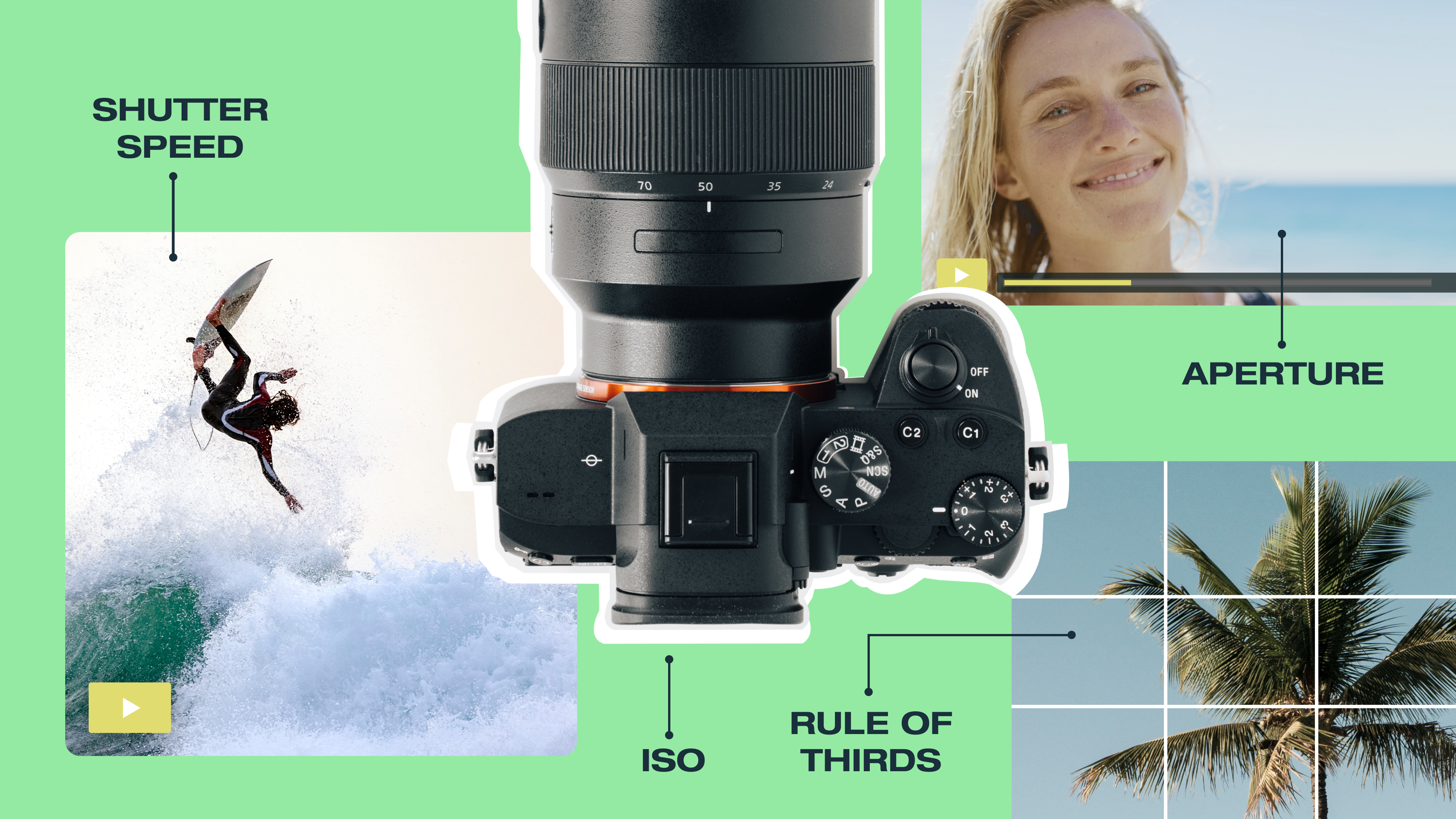
Camera aperture controls how much light passes through a camera lens to reach the sensor. The amount of light determines how much of your scene appears in sharp focus, a quality called depth of field. Get it right and you can isolate a subject against a soft background, hold an entire landscape in focus, or shoot cleanly in low light. But if you miss the mark, it can make great footage look flat or overexposed.
This article covers what aperture is on a camera, how f-stops work, and how to choose the right setting for different photography and video goals.
What’s aperture and how does it work?
Aperture refers to the opening of a camera lens, usually formed by a set of adjustable blades. Light passes through the aperture to reach the camera’s sensor. The wider that opening, the more light gets through, and vice versa. You either set it yourself or let the camera handle it automatically, depending on the camera and mode you’re shooting in.
Mechanically, aperture works like our eyes. In a bright room, your pupil shrinks to limit incoming light. Step outside at night and it opens wide to pull in as much light as possible.
That opening does more than manage light, though. It also affects depth of field, which is how much of your scene appears in sharp focus. A wide aperture creates a shallow depth of field, isolating a subject against a blurred background. A narrow aperture brings more of the scene into focus, though exact sharpness still depends on your focus distance and lens choice.
So, in photography, aperture is what controls most of your light exposure and gives you a chance to manually adjust how your final image looks.
What does “f-stop” mean for camera apertures?
Aperture exposure and focus control is measured in f-stops. Understanding them is a major roadblock for most beginners, because the numbers on your camera — such as f/2, f/4, and f/8 — don't follow the logic you'd expect.
Smaller f-numbers, like f/2, mean a larger opening in the lens, which lets in more light. A larger f-number, like f/16, means a smaller opening and less light. But f-stops are actually fractions. Think of f/2 as 1/2 and f/16 as 1/16, for instance. Since 1/2 is larger than 1/16, f/2 is the larger aperture.
Moving one step in either direction on the f-stop scale either doubles or cuts in half the light hitting the sensor. The most common full-stop f-numbers are:
- f/1.4
- f/2
- f/2.8
- f/4
- f/5.6
- f/8
- f/11
- f/16
- f/22
Moving from f/4 to f/2.8 doubles the light. Moving from f/4 to f/5.6 cuts it in half.
That relationship affects depth of field and sharpness. A low f-number like f/2 or f/2.8 produces a shallow depth of field, keeping your subject sharp while softening the background, which creates the look common to portrait photography. A high f-number, like f/11 or f/16, keeps more of the scene in focus at once, making it the go-to choice for landscape shots.
How aperture affects depth of field
Depth of field describes how much of your scene appears in focus at the same time. If you photograph a person standing in front of a garden, depth of field determines whether the subject looks sharp while the background blurs out, or whether the subject and the background appear equally clear. Aperture is the primary control for that range.
At a wide aperture, such as f/1.4, f/2, or f/2.8, depth of field is shallow. Your subject stays sharp while the foreground and background blur away. That blur, often called bokeh, is what gives portrait photography its clean, subject-forward look: The lens is focusing tightly on a narrow plane, so anything outside that plane softens.
At a narrow aperture, such as f/8, f/11, or f/16, depth of field deepens. More of the scene stays sharp at the same time, which is why landscape and architecture photography relies on these settings. Many other types of camera shots, like wide shots of mountains, city streets, and groups of people, also need that widespread clarity.
However, depth of field doesn’t just rely on aperture, meaning cameras have other functions that work alongside this mechanic. Focal length and your distance from the subject also affect how much of the scene appears in focus. A longer lens at the same f-stop produces a shallower depth of field than a wider lens with the same f-stop. Standing closer to your subject also narrows the depth of field. But for most shooting situations, aperture is the fastest and most direct way to control what stays in focus and what doesn't.
Aperture, shutter speed, and the exposure triangle
Aperture is one of three settings that control how much light reaches your sensor, alongside shutter speed and ISO. Together, these are called the exposure triangle, and changing any one of them affects the others.
Shutter speed determines how long the camera's sensor collects light with each shot. A faster shutter speed lets in less light, so a wider aperture may be needed to compensate. At a slower shutter speed, you can afford to narrow the aperture and still let in light.
ISO controls how sensitive the sensor is to light. A higher ISO brightens the image, which is useful in low light but can introduce grain (a speckled, gritty look) if pushed too far.
For example, you might want to take videos of a fast-moving sports game. Shooting at f/2.8 lets in a lot of light, so you can use a faster shutter speed to freeze movement and keep the ISO low for a cleaner image. If you wanted to capture a landscape, however, a typical aperture of f/11 lets in less light, so you'll likely need a slower shutter speed, a higher ISO, or both.
Aperture priority mode, labeled “A” or “Av” on most cameras, lets you set the aperture for photography while the camera handles the shutter speed automatically — a useful starting point for beginners.
How to choose the right aperture for your shot
The right aperture depends on what you're shooting and what you want the image to do. Here's a quick breakdown by scenario.
Portraits
Use a wide aperture in the f/1.4 to f/2.8 range. The shallow depth of field keeps your subject sharp while the background blurs away, drawing attention to the face and removing distracting surroundings.
Landscapes
Use a narrow aperture in the f/8 to f/16 range. This way, more of the scene (like rocks in the foreground and grass on the horizon) stays in focus at once.
Group photos
f/5.6 to f/8 works well for most group shots. It gives you enough depth of field to keep everyone’s faces sharp without sacrificing light.
Low light
For nighttime shooting or other low-light situations, reach for the widest aperture your lens allows (at least f/2). More light reaches the sensor, meaning you can keep the shutter speed fast enough to avoid blur and the ISO low enough to avoid grain.
Video
f/2.8 to f/5.6 is a common starting range across most digital cameras for capturing video. A slightly shallow depth of field gives the footage a cinematic look while remaining wide enough to handle typical indoor and outdoor lighting without heavy ISO adjustments.
Store and share your footage with Vimeo →
Here are a few recommendations on apertures to use based on your shot goals for quick reference.
Scenario | Recommended aperture | Shot appearance |
Portraits | f/1.4 to f/2.8 | Shallow depth of field, blurred background |
Landscapes | f/8 to f/16 | Deep depth of field, sharp throughout |
Group photos | f/5.6 to f/8 | Balanced depth of field and light |
Low light | f/1.8 to f/2.8 | Maximizes light, reduces blur and grain |
Video | f/2.8 to f/5.6 | Cinematic look with manageable exposure |
Make the most of your footage with Vimeo
Getting your aperture right is only part of the process. Once you capture your footage, you need somewhere to edit, store, and share it.
Once you have your video equipment for content creation in place, Vimeo gives you a full set of tools to take your video further after the shoot. The built-in video editor lets you cut and refine your clips without switching apps. AI-powered features, such as filler word removal and text-based editing, speed up the post-production process. 4K video resolution hosting keeps your footage looking sharp, and a centralized video library makes it easy to organize and share your work with others.
Start creating with Vimeo →
FAQ
What’s diffraction, and how can it affect sharpness?
Diffraction occurs when light bends as it passes through a very narrow aperture. At very small apertures like f/16 or f/22, this bending causes light rays to scatter slightly before reaching the sensor, softening the image. It is one reason why extremely narrow apertures don't always produce the sharpest results, despite the depth of field they provide.
How do you change the f-stop using a camera dial?
On most cameras, you change the f-stop by turning the main control dial, usually located near the shutter button or on the back of the camera. In aperture priority mode, that dial adjusts the aperture directly. In manual mode, one dial controls aperture and another controls shutter speed, though the exact layout varies by camera model.
Can you directly set aperture in Auto or Scene modes?
No. In Auto and Scene modes, the camera selects the aperture for you based on the shooting conditions. To set the aperture yourself, switch to aperture priority mode (A or Av) or manual mode (M).