Running a live webinar lets you reach a single audience at a scheduled time. Attendees in different time zones can join, but they must be available when the session starts locally. This can waste time, especially for enterprise teams that have to endlessly repeat live sessions for static onboarding sessions, product demos, and training seminars.
Evergreen webinars solve that problem by turning one-time recordings into permanent, registrable assets that run without a presenter. This article covers what evergreen webinars are, how you can build one from a live session, and how to choose a webinar platform that supports this workflow at scale.
What’s an evergreen webinar?
An evergreen webinar is a pre-recorded live stream or video session that stays available on demand, built around a topic that holds value over time. A live presenter isn't required after the initial recording, which means the evergreen webinar runs as often as it’s needed.
Teams use these assets to avoid rebuilding the same content. You can record a product demo or lead generation event once, gate it behind a registration form, and make it permanently available to new attendees.
Types of evergreen webinars
Most evergreen webinars fall under one of these common formats:
- Automated webinars: These events run on a fixed schedule with pre-set start times, giving attendees the feel of a live event without requiring a live presenter. Automated webinars work well for product demos and onboarding sequences, where a sense of urgency helps drive registrations.
- On-demand webinars: Attendees can watch these webinars at any time after they register. On-demand formats suit educational content, as well as lead generation flows where convenience is the priority.
- Hybrid webinars: These webinars pair live broadcasts with recorded replays made available afterward, so attendees can watch on their own schedules. Vimeo’s video platform supports hybrid formats natively, so your team can stream an event and then immediately make the recording available on demand.
Stream live events with Vimeo →
How to turn a live event into an evergreen webinar
To create successful evergreen webinars, you’ll need to start the process before you go live. Here are some tips for putting your first evergreen webinar together.
Plan your live session
First, choose a topic that won't go out of date quickly. Onboarding flows and category-level education hold up better over time than content built around a specific campaign or promotion. Consider whether your chosen webinar format, audience scope, and key talking points will remain relevant to new attendees a year from now.
Prepare your recording
Any live recording needs editing before it's ready for a permanent on-demand audience. Trim dead air, remove references to the event date or real-time chat, and cut segments that won't make sense without the live context. Also, make sure all audio is clean and polished.
Add captions, translations, and dubs
Auto captions make your webinar accessible to more viewers and improve completion rates for attendees watching without sound. Translations and dubbed audio extend that reach further, welcoming audiences who didn't join the original live event because the content wasn't in their native languages. You can use Vimeo's bulk subtitle generation and AI dubbing to make your evergreen webinars multilingual quickly.
Set up on-demand hosting and registration
A registration gate turns your recording into a lead generation asset. Attendees exchange contact information for access, and that data feeds directly into your CRM or email workflows. Set up automated confirmation and follow-up emails once, and the process runs without manual input after each new registration.
Distribute and promote your evergreen session
Unlike a live event with a fixed date, you can promote an evergreen webinar continuously. Add the registration link to relevant email campaigns, and embed it on high-traffic web pages. You can also share clips on social channels as part of your video content marketing strategy.
Monitor performance and optimize your webinars
It’s important to track how attendees move through your recordings, so you can see where the content holds their attention and where it loses them. Vimeo's engagement analytics show viewer retention, completion rates, and other key streaming metrics, so your team can improve existing and future webinars.
10 platforms for producing and hosting evergreen webinars
To choose the best evergreen webinar software, you’ll need to factor in your team’s size and consider what types of events you run. If you know whether you need live streaming, on-demand hosting, or both, that will further guide your decision.
Here are 10 popular video and webinar solutions and how they compare.
1. Vimeo
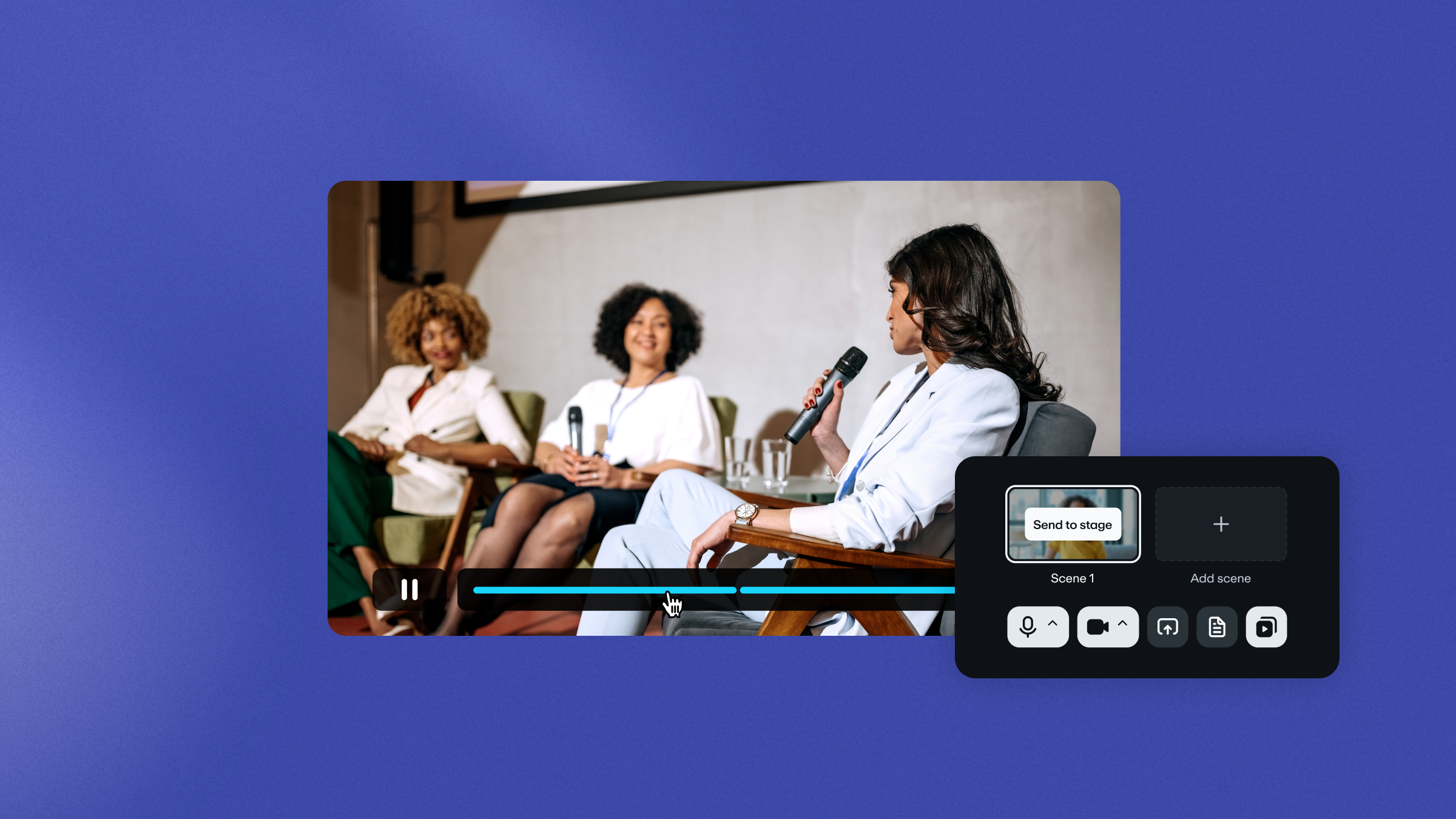
Vimeo is an enterprise platform for teams that need live event streaming and on-demand private hosting in one place. You get virtual events tools that cover the full production process, including simulive scheduling, multi-camera switching, custom graphics, and registration forms with automated email confirmations.
Every stream is automatically recorded and made available for on-demand viewing. AI translation and voice-cloning dubs support many languages, so you can make your evergreen webinars widely available. Plus, Vimeo’s real-time audience analytics sync with HubSpot and Salesforce, surfacing viewer retention data and revealing drop-off points.
Host your evergreen webinar with Vimeo →
2. Airmeet
Airmeet is a virtual events platform designed for interactive experiences, including webinars, conferences, and community events. This tool helps with attendee engagement through features like social lounges and Q&As. Airmeet is best suited to large-scale, professional events that require detailed control over the live experience. In contrast, its complexity makes it a less convenient on-demand webinar solution.
3. Cvent
Cvent is an enterprise platform that supports in-person, hybrid, and virtual events from registration through post-event reporting. This platform’s strength is end-to-end event operations at scale, and it’s useful if you also want help with offline tasks such as venue sourcing and travel management. If you’re specifically looking for a dedicated webinar or on-demand video tool, you’ll likely end up paying for more features than you use.
4. Goldcast
Goldcast is a B2B event platform that integrates with CRMs and marketing automation tools. It supports many event formats and provides editing tools designed to repurpose long streams into short social media clips. Goldcase works well for revenue-focused teams that need tight alignment between webinar attendance and sales activity. However, its on-demand capabilities are fairly limited.
5. GoTo Webinar
GoTo Webinar has a wide feature set that covers registration, live broadcasting, and recorded replays. You get audience engagement options, real-time analytics, built-in hosting, and integrated marketing tools. This versatility makes GoTo Webinar a solid option for teams that need straightforward, reliable webinars. The platform’s interface and feature set have aged when compared to newer platforms, though, and it lacks the depth of video hosting found in enterprise-grade solutions.
6. WebinarNinja
WebinarNinja supports live, automated, series, and hybrid webinar formats. It focuses on lead generation and sales, providing plenty of audience engagement and analytics tracking tools. This is an easy platform to set up, and it works well for smaller teams running regular events without support from dedicated operations. On the other hand, WebinarNinja doesn't offer the video library management or localization capabilities larger enterprise teams often need.
7. Demio
Demio is a browser-based webinar platform designed for ease of use. It offers automated scheduling and basic engagement tools like polls and handouts. Demio suits marketing teams that run lead generation webinars and want a clean, reliable attendee experience without the need for heavy configuration. Teams that need embeddable video players or multilingual support will have to supplement Demio with other tools.
8. eWebinar
eWebinar specializes in automated events, letting teams schedule pre-recorded sessions with simulated interaction features. This niche tool helps you create webinars that feel live without requiring presenters for every session. eWebinar doesn't support actual live streaming or give you much control over video hosting and sharing, so it works best as part of a larger tech stack.
9. Livestorm
Livestorm is a browser-based platform for live webinars and virtual events. It's a capable mid-market option with a clean interface, CRM integrations, and built-in registration and analytics features. Enterprise teams with large content libraries or multilingual audiences may quickly outgrow Livestorm's hosting and localization capabilities.
10. Zoom Webinar
Zoom Webinar extends the Zoom meeting experience into a broadcast format that supports large attendee counts and basic registration workflows. Teams already familiar with Zoom can use this software to produce evergreen webinars fast. Just keep in mind that Zoom isn't built for on-demand hosting or content lifecycle management.
Frequently asked questions about evergreen webinars
What is the best software for recording evergreen webinars?
The best software for your webinar really depends on what you are trying to achieve. If you want a polished final product that easily transitions from a live event into a permanent on-demand asset, a dedicated platform like Vimeo might be your best bet. On the flip side, if you are just hosting a quick internal meeting, everyday tools like Zoom or Microsoft Teams work perfectly fine. They just lack advanced post-event editing features. There is also a middle ground for marketers. Platforms like Demio, Goldcast, or GoTo Webinar are great choices if your main focus is driving live registration and tracking attendee analytics.
What interactive elements can you include in evergreen webinars?
Evergreen webinars can be engaging for audiences even without a live host. Here are some ideas to explore. An asynchronous Q&A box or a simulated live chat at the beginning can boost engagement. During the presentation, add a pop-up poll or short survey to gather insightful data during the webinar. Add clickable call-to-action buttons that appear when talking about specific products or links to help boost conversion rates. Finally, use chapter markers to allow viewers to quickly jump to the parts that interest them.
What equipment and software do I need to record an evergreen webinar?
Getting a solid evergreen webinar recorded comes down to a mix of decent gear and the right software. First, dump the built-in laptop camera. These cameras are typically grainy. Grab a 1080p external webcam or hook up a DSLR if you have one. More importantly, get a dedicated USB or XLR mic, because people will forgive okay video, but bad audio will make them click away instantly. Toss a basic ring light on your desk too, just to get rid of any weird shadows. Once that's sorted, use something simple like Zoom or Loom to record your screen and face. After you've got the raw video, you just need a webinar platform to handle the automated scheduling, host the file, and build your sign-up pages.
Vimeo: The evergreen webinar platform built for enterprise teams
Most tools handle one part of the evergreen webinar workflow well — specializing in event management, editing, hosting, or analytics. Vimeo handles all those steps and more, with an ever-expanding toolset that supports enterprise teams in producing, hosting, localizing, and measuring webinar performance at scale.
Vimeo’s virtual event features manage your live broadcasts, and the moment a stream ends, the recording is automatically available on demand, captioned, and ready to distribute. AI translation and dubbing extend that recording to dozens of languages. And analytics tell you exactly how viewers behave, so you can refine your evergreen webinars for maximum engagement.